An inbox for your calls
New calls wait with a green dot, like unread email. Open one, listen or read the transcript, then tag it and give it a value. Your whole team sees it as reviewed, and your reports show which marketing brings in real leads.
- Diana Taylor New Customer $180.00
- Emily Robinson Add Conversion Add $320.00
- Michael Harris Add Opportunity Add $450.00
- Linda Clark Add Parts Order Add $95.00
- Omar Campbell Add Conversion Add $240.00
- Thomas Lopez Add Add
A call count does not tell you which calls were leads
See what is waiting
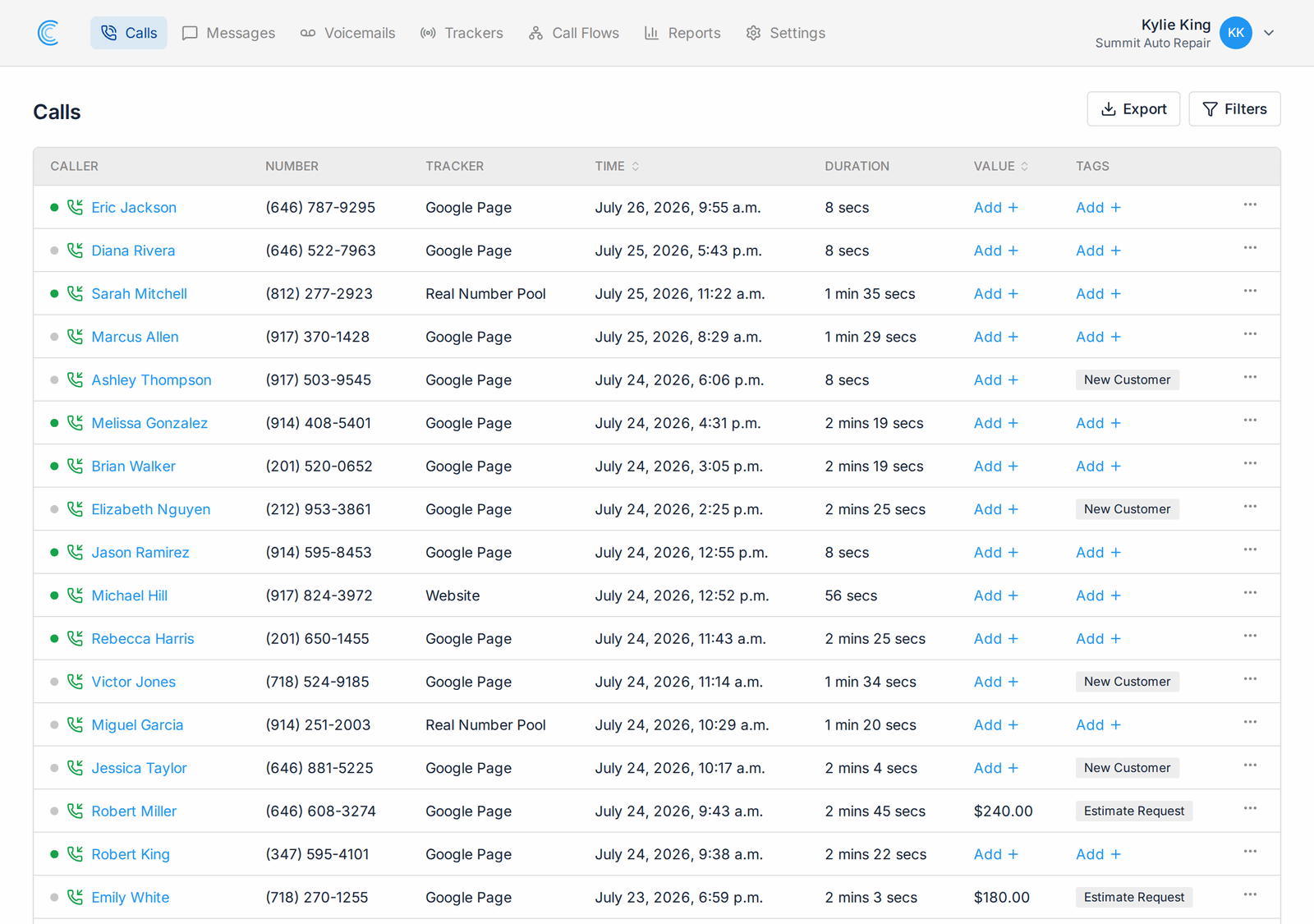
A green dot marks every call nobody has reviewed. Grey means someone already has.
Record what the call was
Tag the outcome of a call, its call disposition, as a booked appointment, a new customer, an existing customer or anything else you track.
Record what it was worth
Give a call a dollar value, so your reports can compare revenue and not only call volume.
Read and unread, for phone calls
Every row in your call log carries a dot next to the caller. Tags and call values sit in their own columns beside it, so you can read a page of calls and know what is done and what still needs attention before you open anything. It is lead qualification for phone calls, done from one list.
- Green dot for a call waiting for review, grey for a reviewed one
- Tags and values shown on the row, with an Add prompt where they are missing
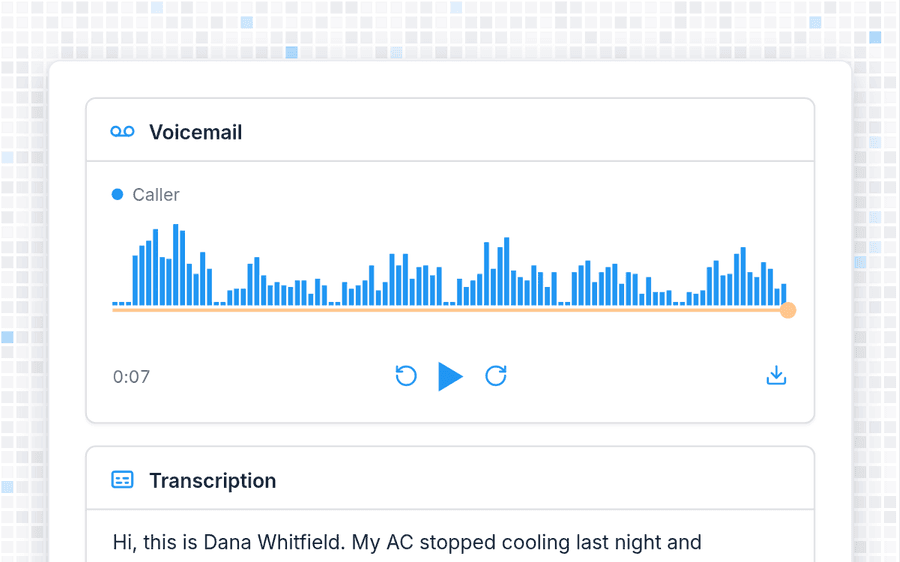
- Hang-ups arrive already reviewed, because there is nothing to listen to
Listen and read without leaving the list
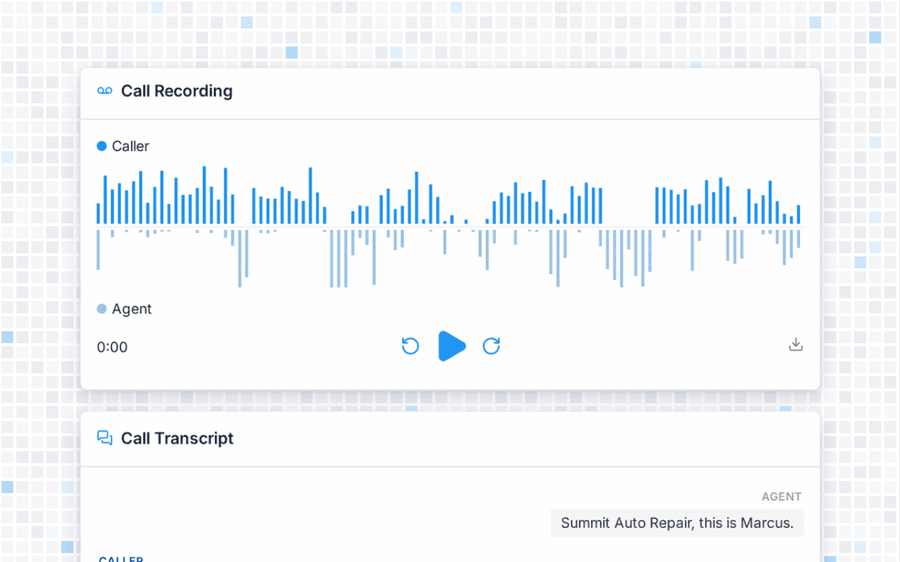
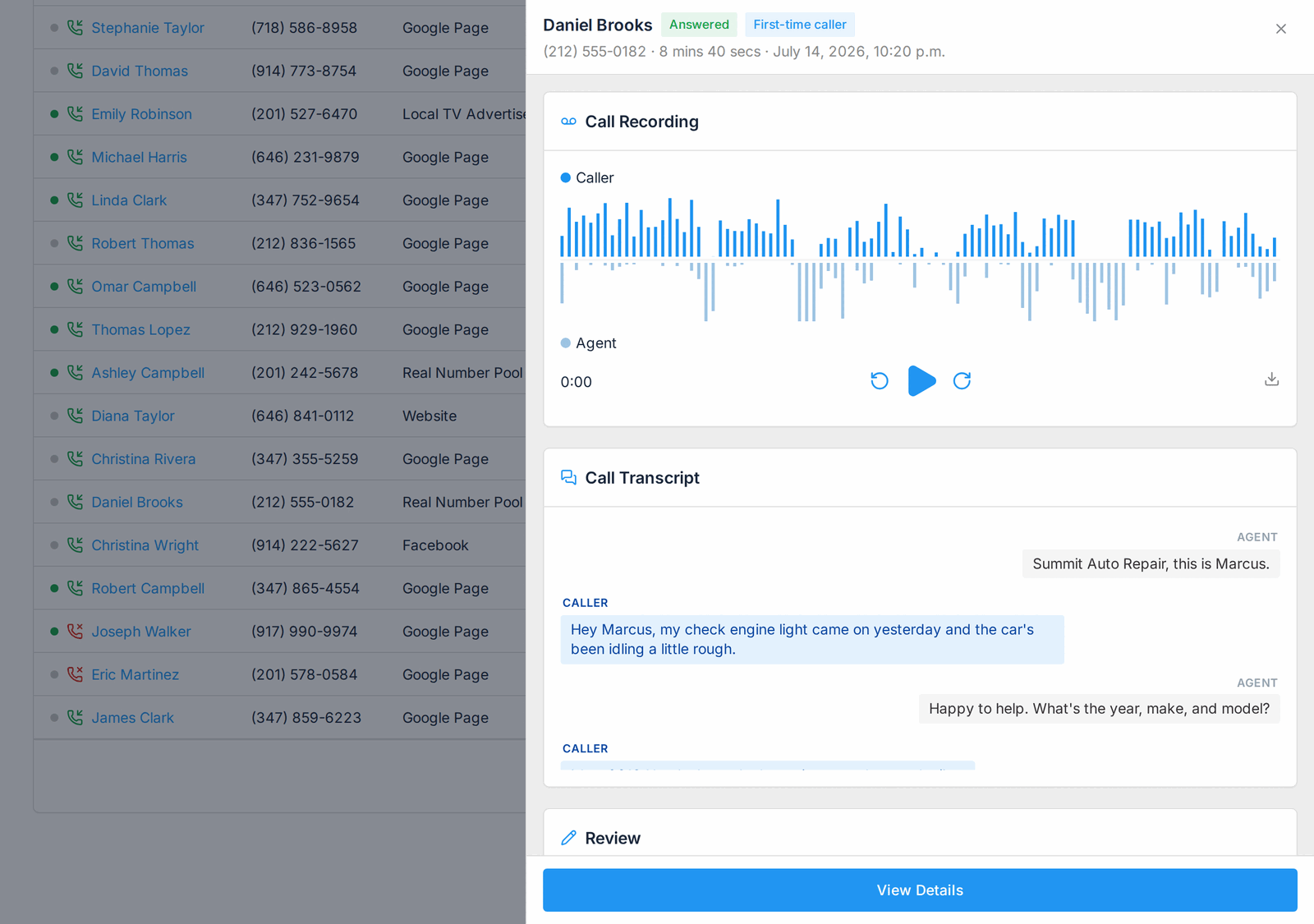
Reviewing calls used to mean opening one, listening, going back and hunting for your place in the list. Now you click a caller and a panel slides over the call log with the recording and the transcript. The list behind it never moves, so your scroll position and your filters are still there when you close it.
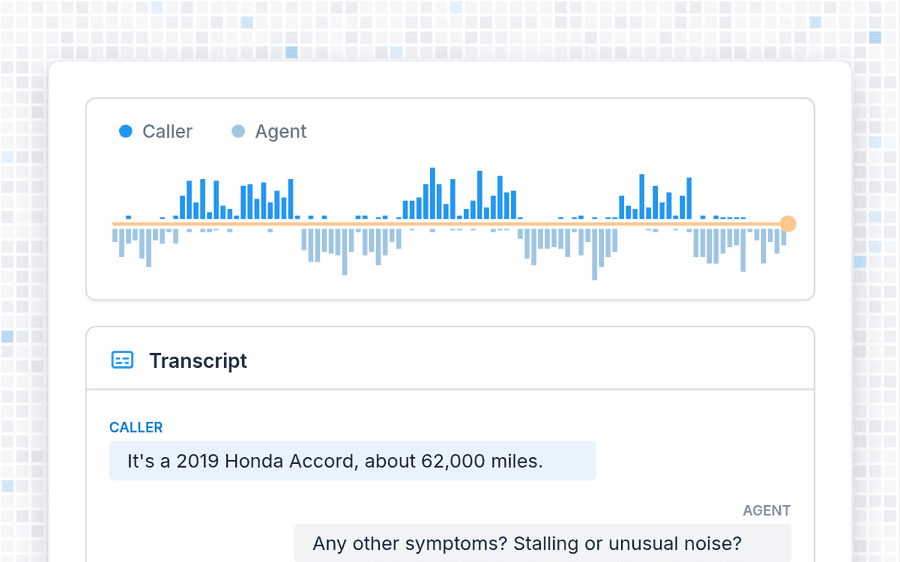
- A two-channel waveform shows who was speaking and when
- The transcript reads as a back-and-forth between caller and agent
- The tracker, location and web source of the call sit underneath
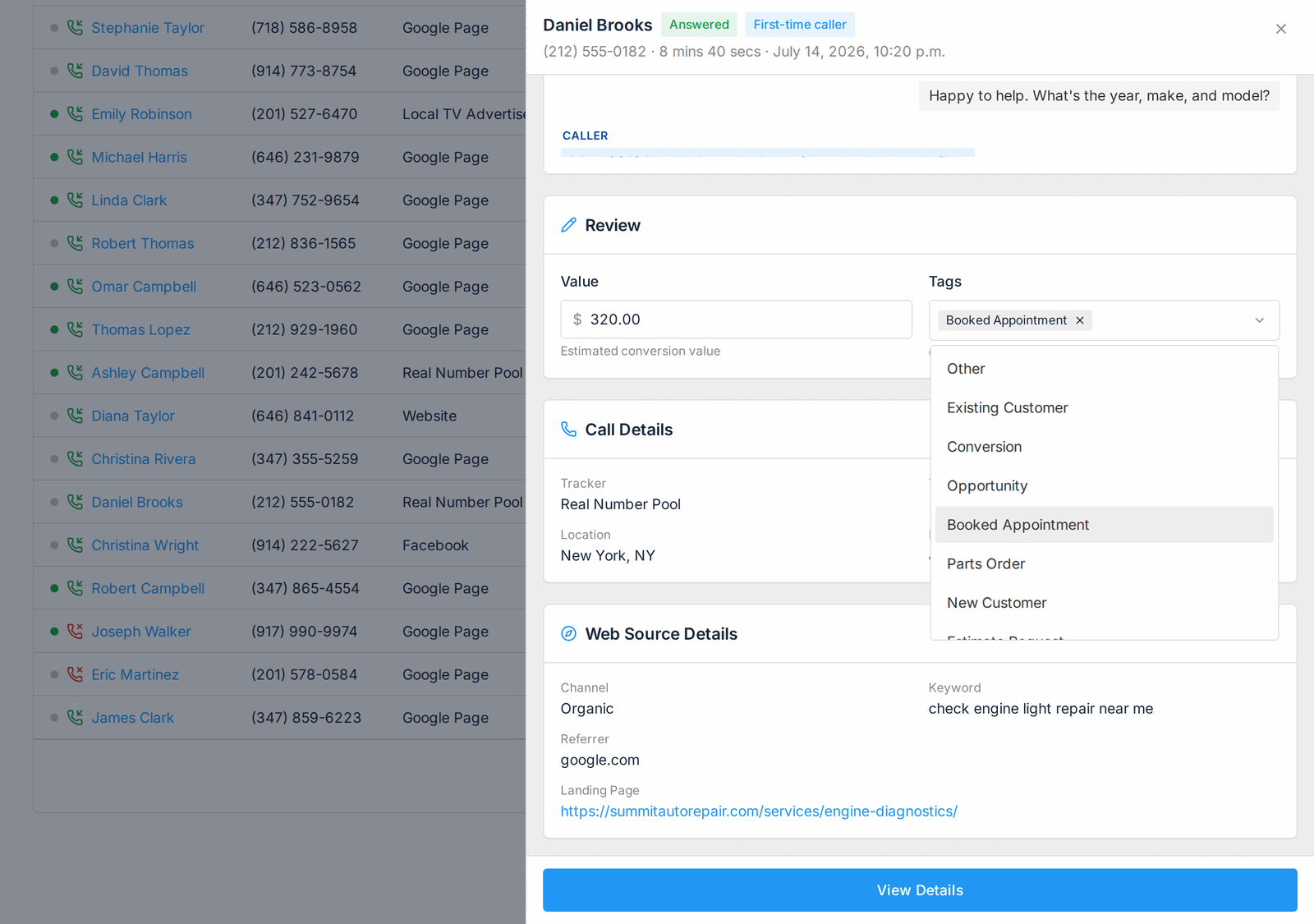
Tags and values save as you go
The Review card holds the two things lead qualification needs, what the call was and what it was worth. Pick tags from the list your company uses, and type a dollar figure into the value field. Both save the moment you change them, and a Saved badge confirms it.
- No Save button to forget before the next call
- Your own tag list, set up once for the company
- Type in the tag field to filter a long list
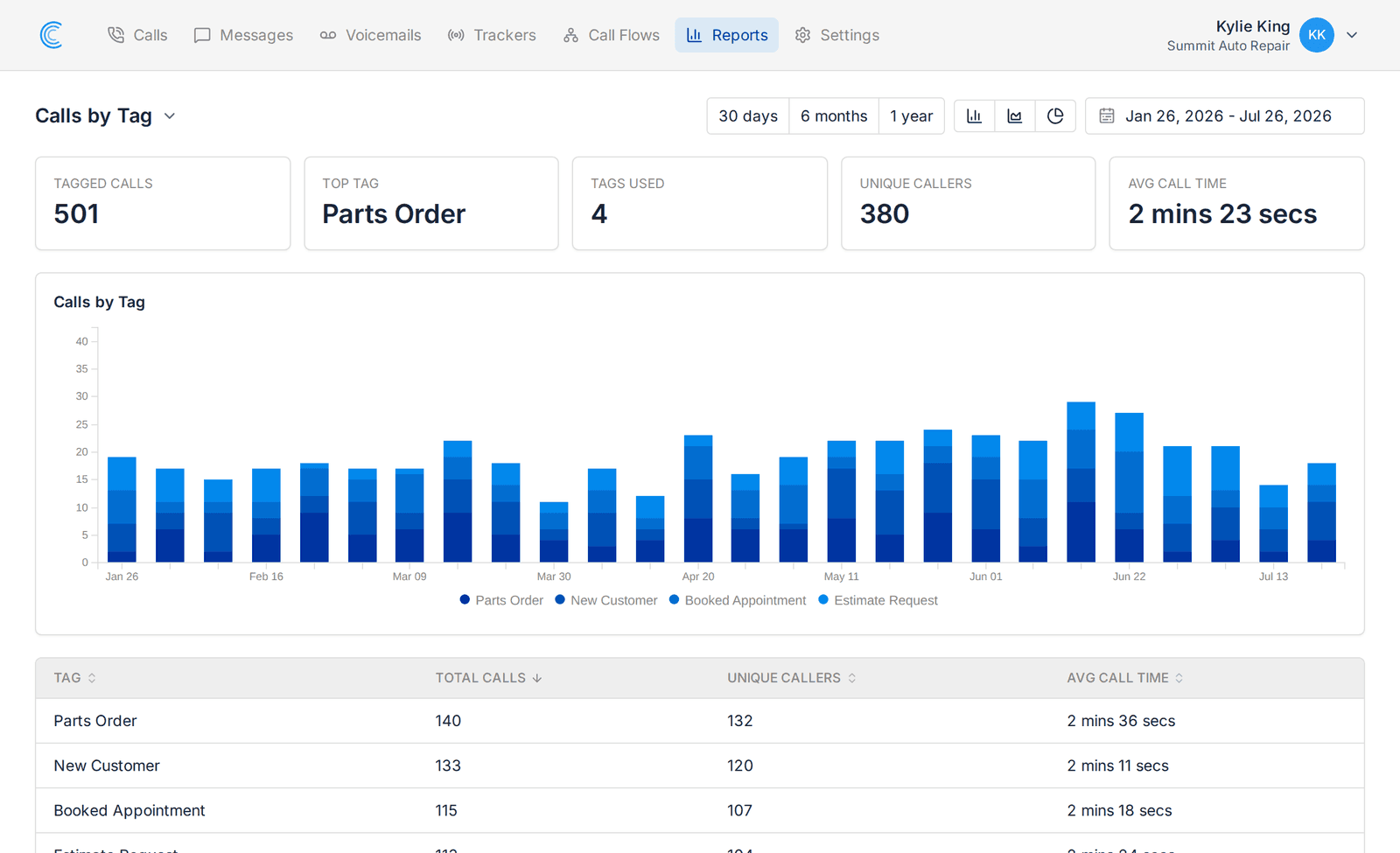
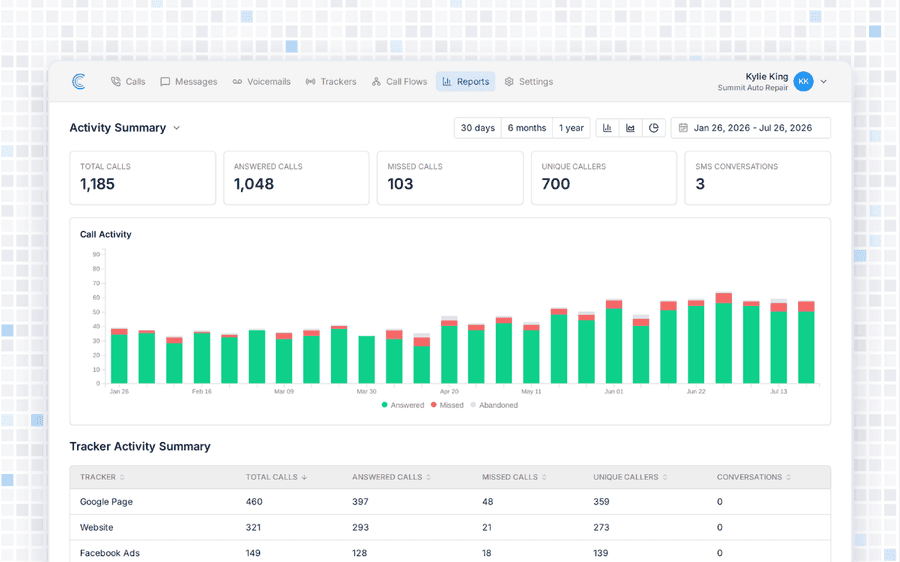
Report on outcomes, not call counts
Lead qualification pays off in your reports. Tags and values feed them, so you can count the calls behind each tag, and compare the value each tracker, channel or keyword brought in.
- Calls by Tag counts booked appointments, new customers and every other tag
- Calls by Value adds up the dollar value you entered
- Filter the call log itself by tag
One review queue for the whole company
Shared, not per person
When a colleague opens a call it turns grey for everyone, so nobody reviews the same call twice.
Work from either end
Two people can review the same call log at once and see each other's progress.
Included on every plan
Call tagging, call values and unlimited users come with Starter, Pro and Agency.