Call Tracker
See what makes your phone ring.
Every call tied back to the campaign, keyword, and ad that drove it. Call recording, SMS, and real time reporting included.
Unlimited users. No contracts.
How to Track Which Google Ads Are Driving Phone Calls
If your best leads pick up the phone instead of filling out a form, Google Ads can leave you guessing which campaign actually earned the call. Google Ads call tracking closes that gap: it ties every inbound phone call back to the exact campaign, ad group, and keyword that drove it, then reports it as a conversion right inside your Google Ads dashboard so you can optimize spend around the calls, not just the clicks.
Why Google Ads’ Built-In Call Reporting Falls Short
Google Ads can count calls from call extensions and call-only ads on its own. The problem is what it cannot see. A huge share of paid calls happen after the click, when a visitor lands on your site, reads for a minute, and then dials the number on your page. Those website calls are invisible to Google’s native call reporting, so the keyword that paid for that visit never gets credit. You end up optimizing toward the ads that drive cheap clicks instead of the ones that drive real phone leads.
To fix that, you need to connect the call back to the click. That is exactly what call tracking does.
How Call Tracker Connects a Phone Call to a Google Ad
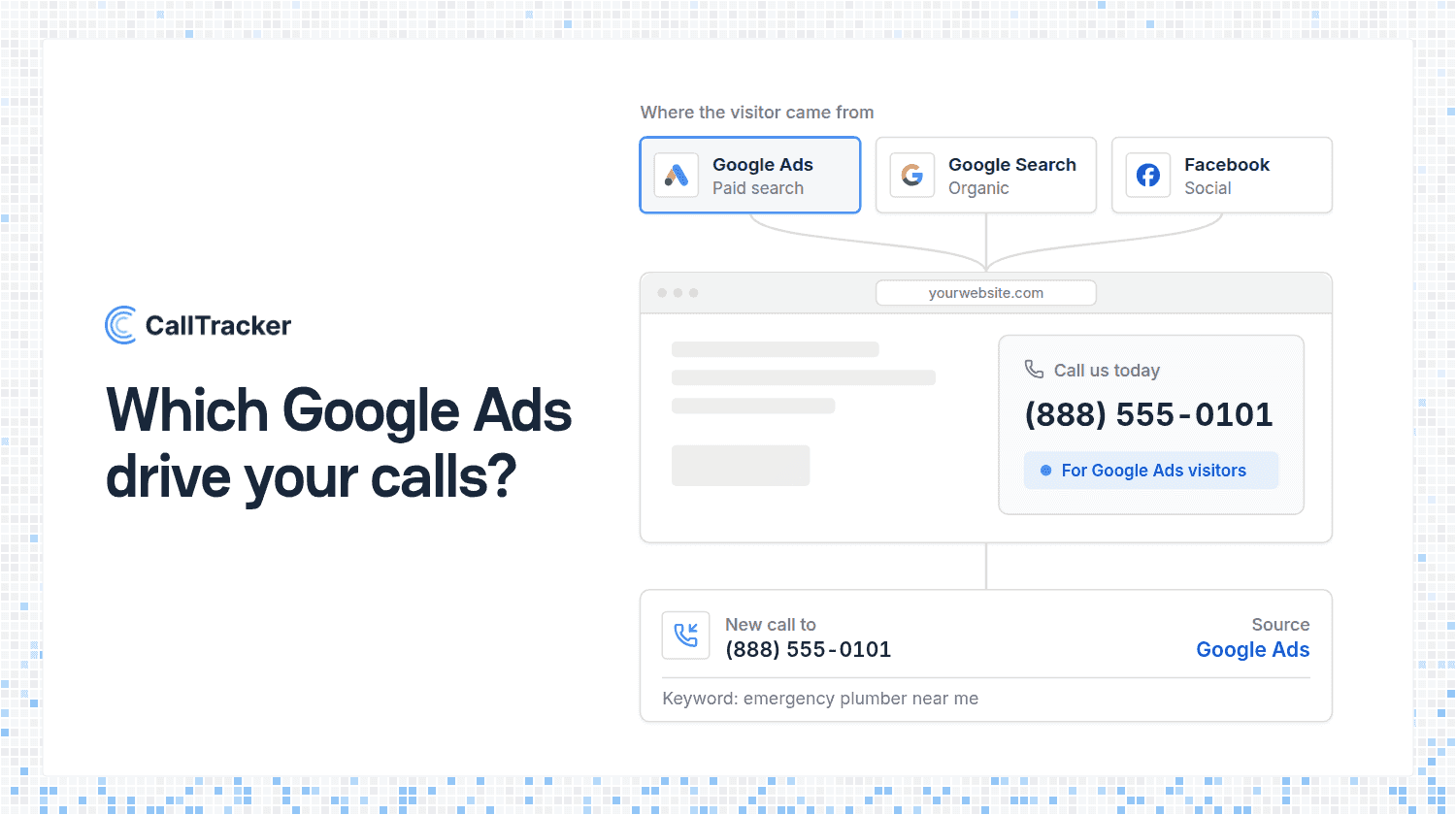
Call Tracker bridges the gap between a paid click and an inbound call with three pieces working together:
- Dynamic Number Insertion swaps the phone number on your site for a unique tracking number per visitor, so the number a caller dials is tied to how they arrived. See how DNI works.
- Number pools capture the Google Click ID (GCLID) and the keyword search term behind each visit, down to the individual caller.
- The Google Analytics integration pushes that call in as an event, where it becomes a conversion you can import into Google Ads.
In other words, the path is: a visitor clicks your ad, Dynamic Number Insertion shows them a tracking number, they call, and Call Tracker hands that call (with its click data) to Google Analytics. From there it flows into Google Ads. Your Google Ads integration is built directly on top of Google Analytics, which is why Analytics is the foundation step.
Set Up Google Ads Call Conversion Tracking in 4 Steps
Once your tracking numbers and Dynamic Number Insertion are live on your site, connecting them to Google Ads takes four steps:
- Enable the Google Analytics integration in Call Tracker and set up Goals for phone calls in your Analytics account, so each tracked call is recorded as a conversion.
- In your Google Ads account, open Tools and select Conversions.
- On the Conversions page, choose Google Analytics as the import source and pick the phone-call Goals you just created.
- Configure the import settings and select Import Goals. Your imported conversions should appear in Google Ads within a few hours.
That is the whole chain. After it runs, the calls that paid campaigns generate show up alongside your form and purchase conversions, with no manual tagging on your end.
What You Can See Once It’s Connected
With Google Ads call tracking running, your reporting stops guessing and starts attributing:
- Keyword-level attribution so you know which search terms produce phone calls, not just clicks.
- Campaign and ad group performance measured by calls, so you can shift budget toward the ads that actually ring the phone.
- Call recordings and details to confirm a call was a real lead and not a wrong number, using call recording and our real-time analytics.
- True cost per call for every campaign, so your ROI math is based on revenue-driving conversations.
Don’t Forget Click-to-Call Ads
While you are at it, lean into the format built for phone leads. Click-to-call ads let a mobile searcher dial your business straight from the ad, and they tend to convert well because there is no landing page in the way. Point them at a Call Tracker tracking number and those calls get attributed back to the campaign and keyword too, the same as your website calls.
Start Attributing Your Paid Calls
You are already paying for the clicks that turn into phone calls. Google Ads call tracking just makes sure you get credit for them, so every dollar of ad spend is judged on the leads it actually drives. Start your 14-day free trial and connect your Google Ads in an afternoon, or read the help docs to see the full setup.

Alex Phelps
Published on