---
title: "IVR Menu"
description: "Get every caller to the right team on the first try, and keep every call attributed to the campaign that produced it."
image: "/assets/images/features/ivr-menu-builder.png"
url: "https://calltracker.io/features/ivr-menu/"
---
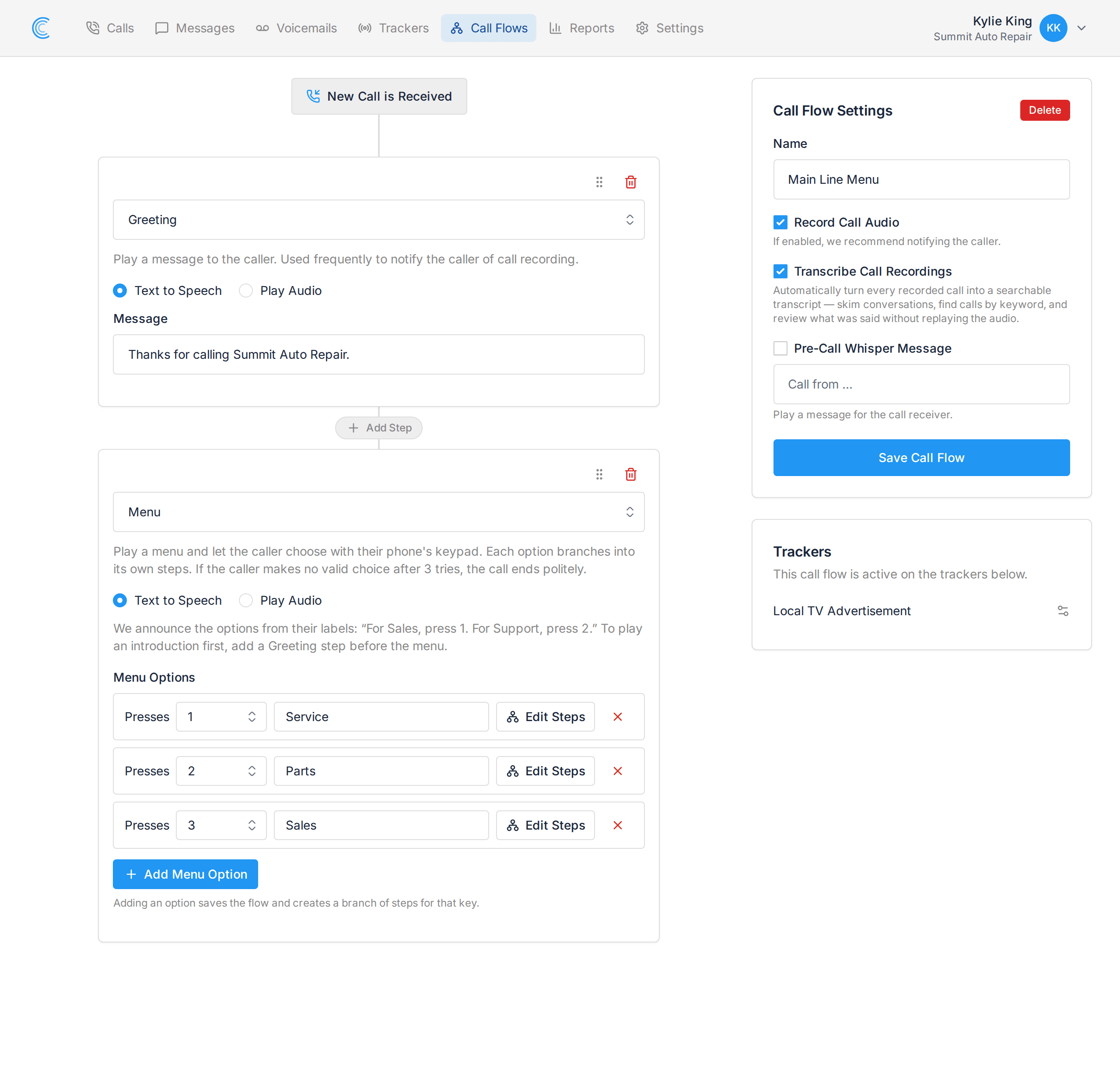
You spend real money to make the phone ring. When that call lands on the wrong desk, gets passed around, and finally goes to someone's voicemail, you have paid for a lead and lost it in your own building. An IVR menu puts the caller in charge of where they land: press 1 for Service, 2 for Parts, 3 for Sales. You may know it as a phone tree or an auto attendant.
Building an IVR Menu
 ##### What an IVR Menu Does for Your Business
- Get callers to the right team on the first try, without paying anyone to answer and transfer.
- Advertise one number everywhere and still serve every department behind it.
- Catch the callers your team misses, with voicemail set per department rather than one shared box.
- Keep recording and transcription on every call, whichever option the caller chooses.
- See the same campaign, source and keyword reporting you had before the menu existed.
##### One Advertised Number, Every Department Behind It
Buying a number per department means paying for each one, printing each one, and hoping customers pick the right one. Most of them will not. A menu lets you put a single number on the van, the billboard and the website, then split callers by what they actually want once they are already on the line.
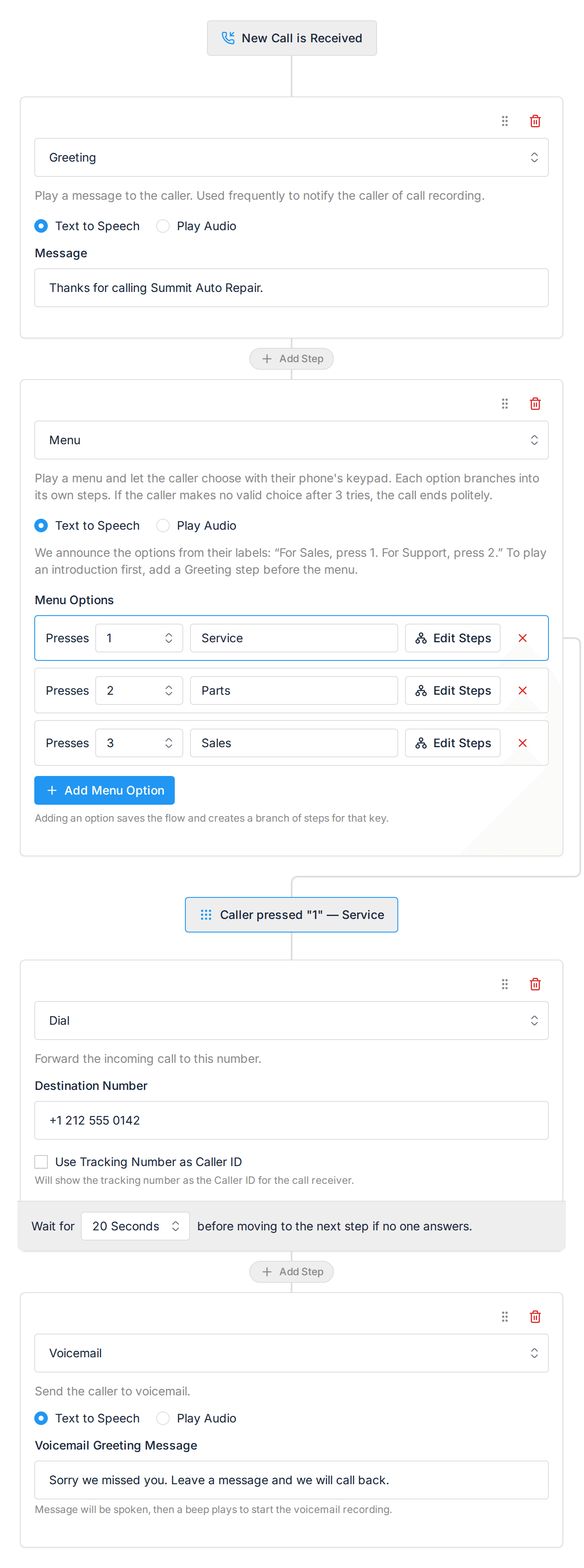
That matters most when your departments behave differently. Service is busy at 8am and needs to reach the workshop. Sales can ring three mobiles at once and should never go to voicemail. Each option gets its own handling, so you are not forced into one compromise that suits nobody.
Each Option Handles Calls Its Own Way
 ##### A Menu Your Callers Can Trust
Nothing loses a caller faster than a menu that lies to them. On most systems the script is recorded once and the routing drifts away from it, so people press 2 for Sales and reach the parts counter.
Call Tracker speaks the menu straight from the options you set, so the words and the keys can never disagree. Move Sales to a different key and the message moves with it. Callers who press nothing hear the menu again rather than dead air.
##### The Calls Still Report Against the Campaign That Earned Them
This is where a menu inside your call tracking is worth more than one bolted onto a phone system. Every call still reports against the tracking number that received it, so the ad, the keyword and the campaign that made the phone ring are exactly as measurable as they were before. Your recordings and transcripts keep coming in too, whichever option the caller picked, so you can still hear what your marketing is actually producing.
Read more about Call Flows and how to set up a call flow.
##### A Menu Your Callers Can Trust
Nothing loses a caller faster than a menu that lies to them. On most systems the script is recorded once and the routing drifts away from it, so people press 2 for Sales and reach the parts counter.
Call Tracker speaks the menu straight from the options you set, so the words and the keys can never disagree. Move Sales to a different key and the message moves with it. Callers who press nothing hear the menu again rather than dead air.
##### The Calls Still Report Against the Campaign That Earned Them
This is where a menu inside your call tracking is worth more than one bolted onto a phone system. Every call still reports against the tracking number that received it, so the ad, the keyword and the campaign that made the phone ring are exactly as measurable as they were before. Your recordings and transcripts keep coming in too, whichever option the caller picked, so you can still hear what your marketing is actually producing.
Read more about Call Flows and how to set up a call flow.