---
title: "Introducing Call Review: Faster Call Tagging Without Leaving Your Call Log"
description: "Working through a day of calls used to mean opening one, listening, tagging it, going back, and hunting for your place in the list again. Call Review puts the recording, the transcript, call tagging, and the call value in a panel that slides over your call log, so the list never moves and you never lose your spot."
image: "/assets/images/posts/call-tracker-call-review-workflow.jpg"
url: "https://calltracker.io/blog/2026-08-04-introducing-call-review/"
---
Working through a day of calls used to mean opening one, listening, tagging it, going back, and hunting for your place in the list again. Two or three pages in, you had lost track of which calls you had already handled.
Today that changes. We're pleased to introduce Call Review, a panel that slides over your call log with everything you need to judge a call: the recording, the transcript, call tagging, and the call value. The list behind it never moves, so your place is exactly where you left it.
#### What You Can Do With Call Review
- Open a call, listen, read the transcript, and tag it without leaving the call log.
- See at a glance which calls your team has already reviewed and which are still waiting.
- Apply call tagging and set a conversion value in the same place, and watch both save themselves.
- Keep your scroll position and your filters while you work through a page of calls.
- Share one review queue across everyone on the account, so nobody reviews the same call twice.
#### Your Call Log Now Shows What Has Been Reviewed
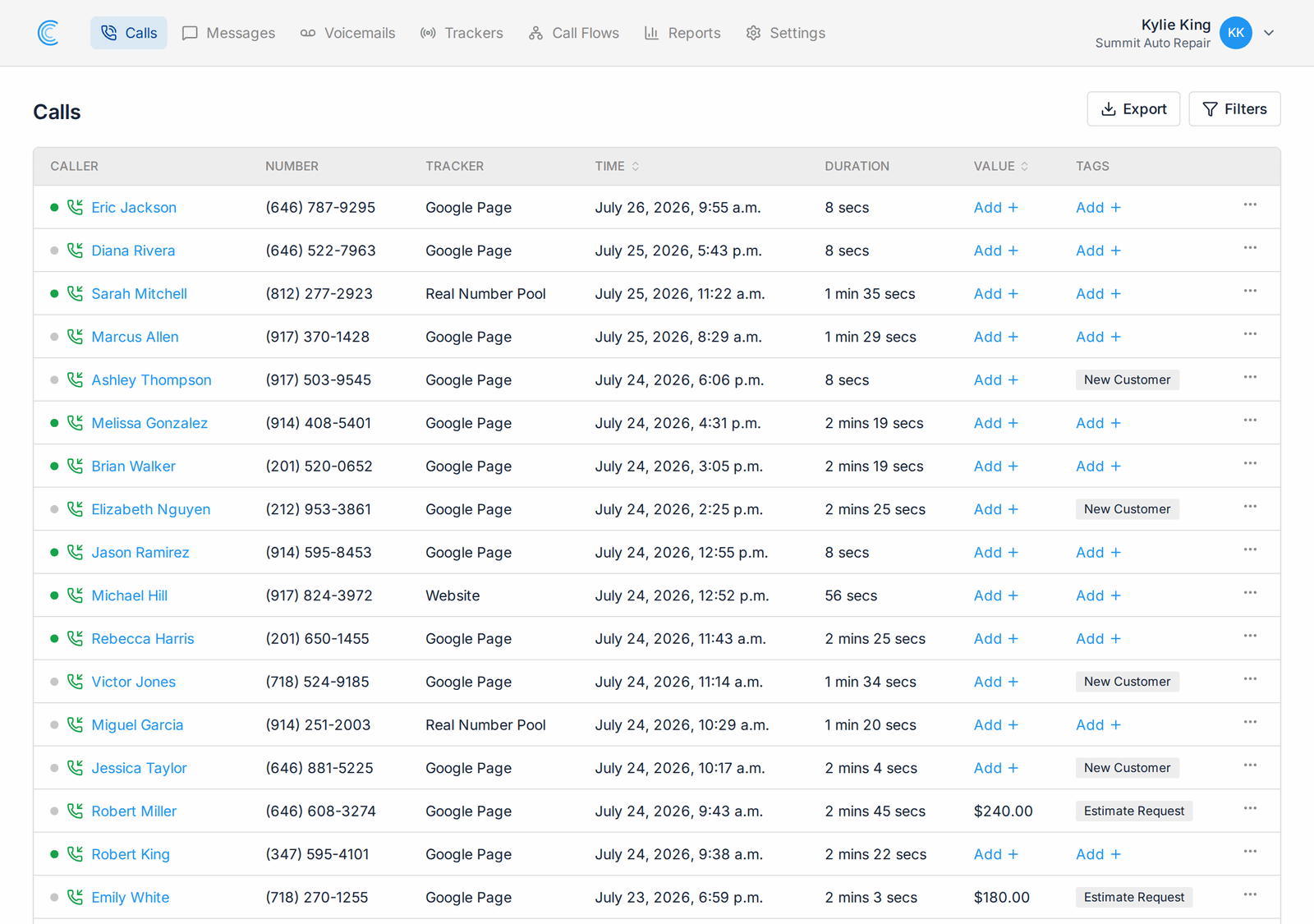
Every row in the call log carries a small dot next to the caller. Green means nobody has opened that call yet. Grey means someone already has. Tags and call values sit in their own columns beside it, so you can read a whole page and know what is done, what is worth money, and what still needs attention before you click anything.
#### Listen and Read in the Same Panel
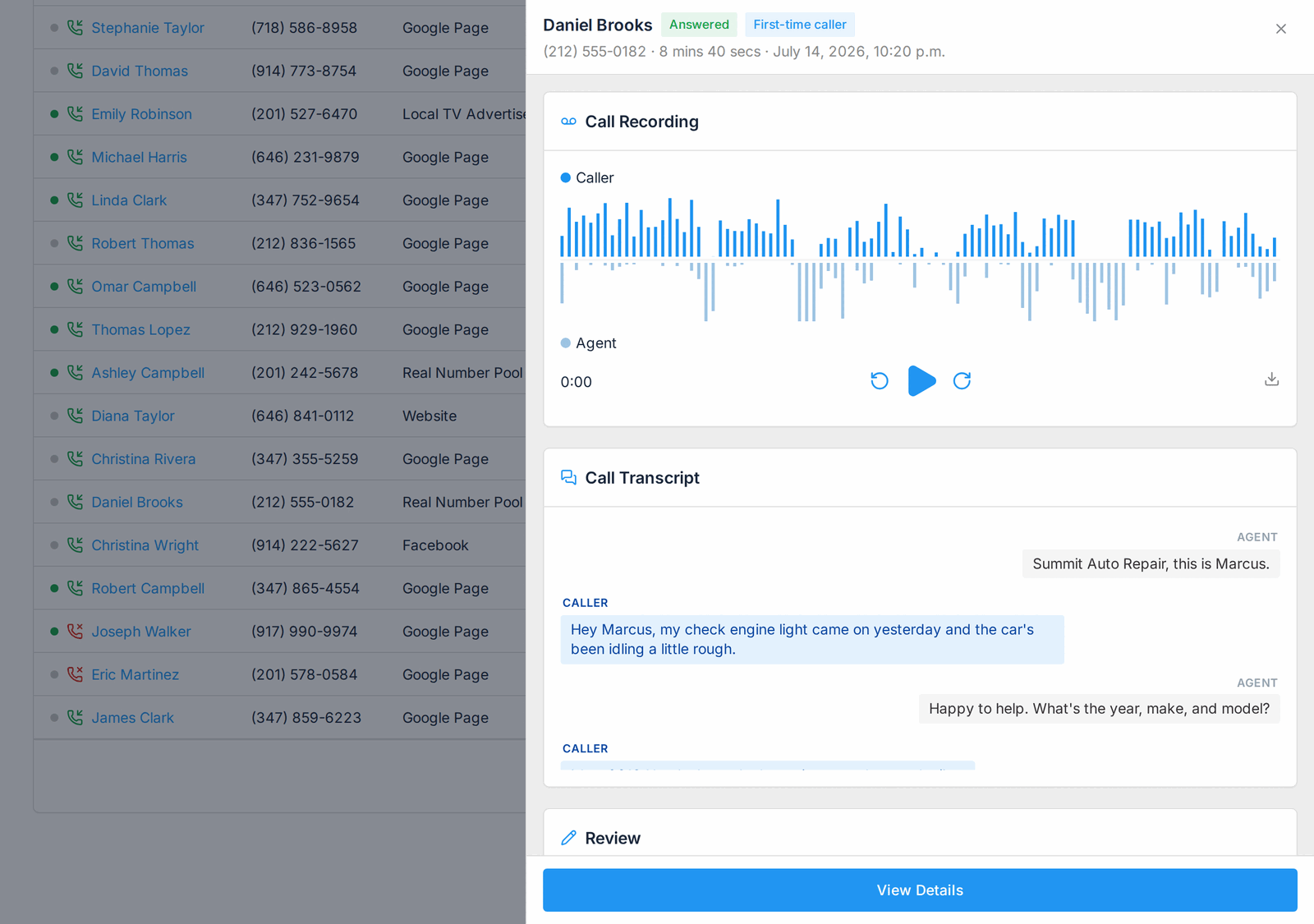
Click a caller name and the panel opens with the call recording ready to play, laid out as a two-channel waveform so you can see who was speaking when. Underneath it sits the [AI transcription](/features/ai-call-transcriptions/) of the conversation as a clean back-and-forth thread, plus the tracker, the tracking number, and the web source details that brought the call in.
Most of the time you will not need to play anything. Skim the transcript, decide, tag, and move to the next call.
#### Call Tagging and Call Values That Save Themselves
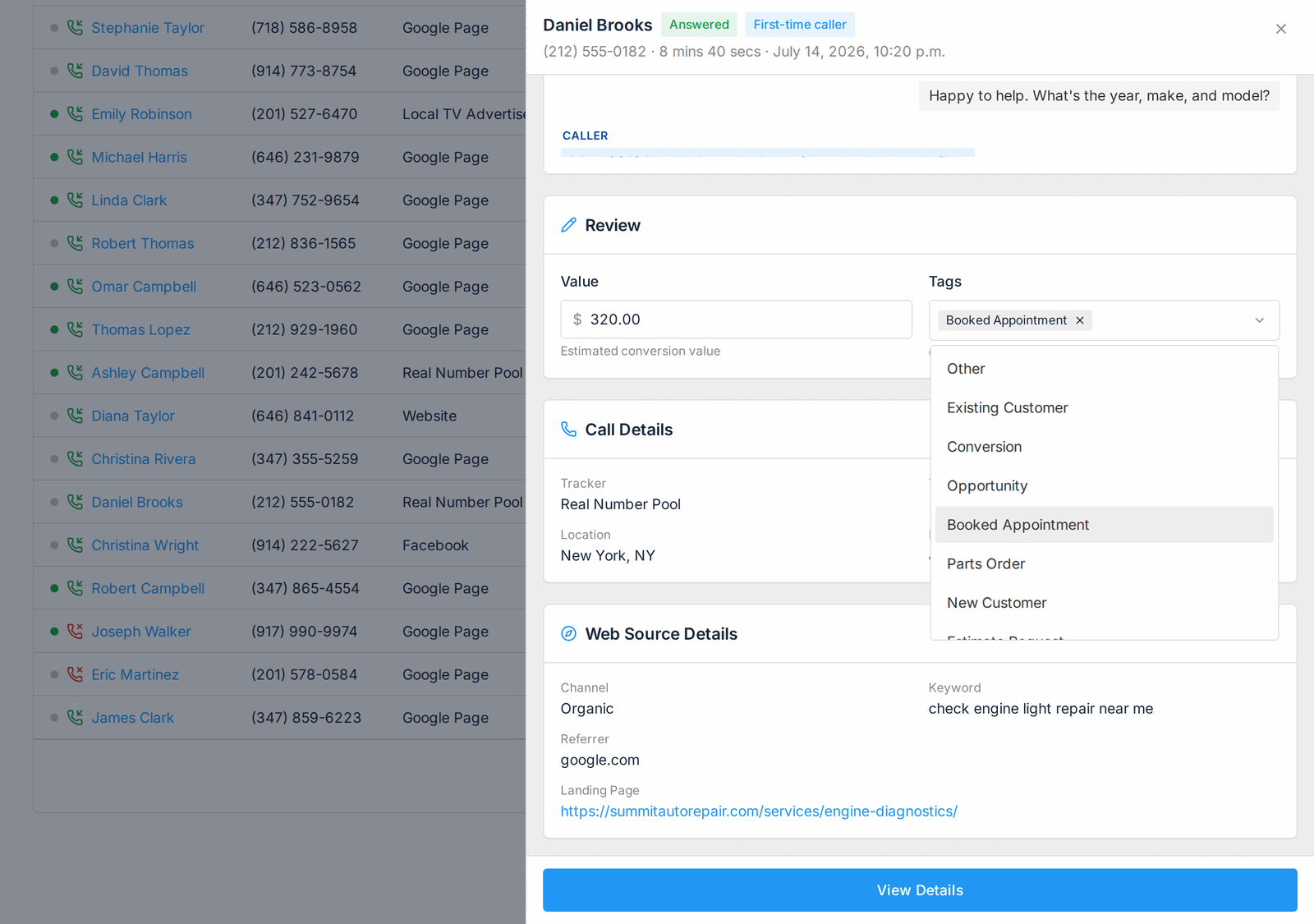
The Review card holds the two things worth capturing about a call: what kind of call it was, and what it is worth to you.
Pick your tags from the list your company already uses, or type to filter them. Enter a dollar figure in the value field. Both commit the moment you change them, and a small Saved badge confirms it. You never have to press anything, so a tag cannot go missing because somebody moved on to the next call.
Tags and values also drive your [call analytics](/features/call-analytics/). Filter a report down to booked appointments, or compare the revenue a campaign produced rather than the call count it produced.
#### One Shared Queue for Your Whole Team
The reviewed indicator belongs to the company, not to the person logged in. When a colleague opens a call, it turns grey for everyone. Two people can work the same call log from opposite ends and never collide.
Abandoned calls arrive already marked as reviewed, since a hang-up leaves nothing to listen to. We also marked every call already in your history as reviewed, so you start from a clean list instead of a backlog of everything you have ever received.
#### What Is Next
More of our conversation intelligence work will land in this panel. Already on the list:
- Keyboard shortcuts to move to the next and previous call without touching the mouse.
- Live re-sorting when a tag or value change moves a call in or out of your current filter.
- Call summaries and sentiment to read the room at a glance.
Call Review is available now. Open your call log and click any caller name to try it. To learn more, see our help docs, or reach out to our team at support@calltracker.io.
Not using Call Tracker yet? Start your 14 day free trial and see which campaigns are actually making your phone ring.